The active side of
desk work.
Standing, treadmill walking, under-desk cycling - the low-intensity movement a workout app ignores, but your body does all day. DeskMode times it, estimates the extra calories honestly (the burn above resting, so nothing's double-counted), and adds it to Apple Health as one more datapoint in your bigger picture.
One thing, done very well.
Not a habit tracker. Not a workout app. A desk timer that's honest, glanceable, and yours.
One tap to flip
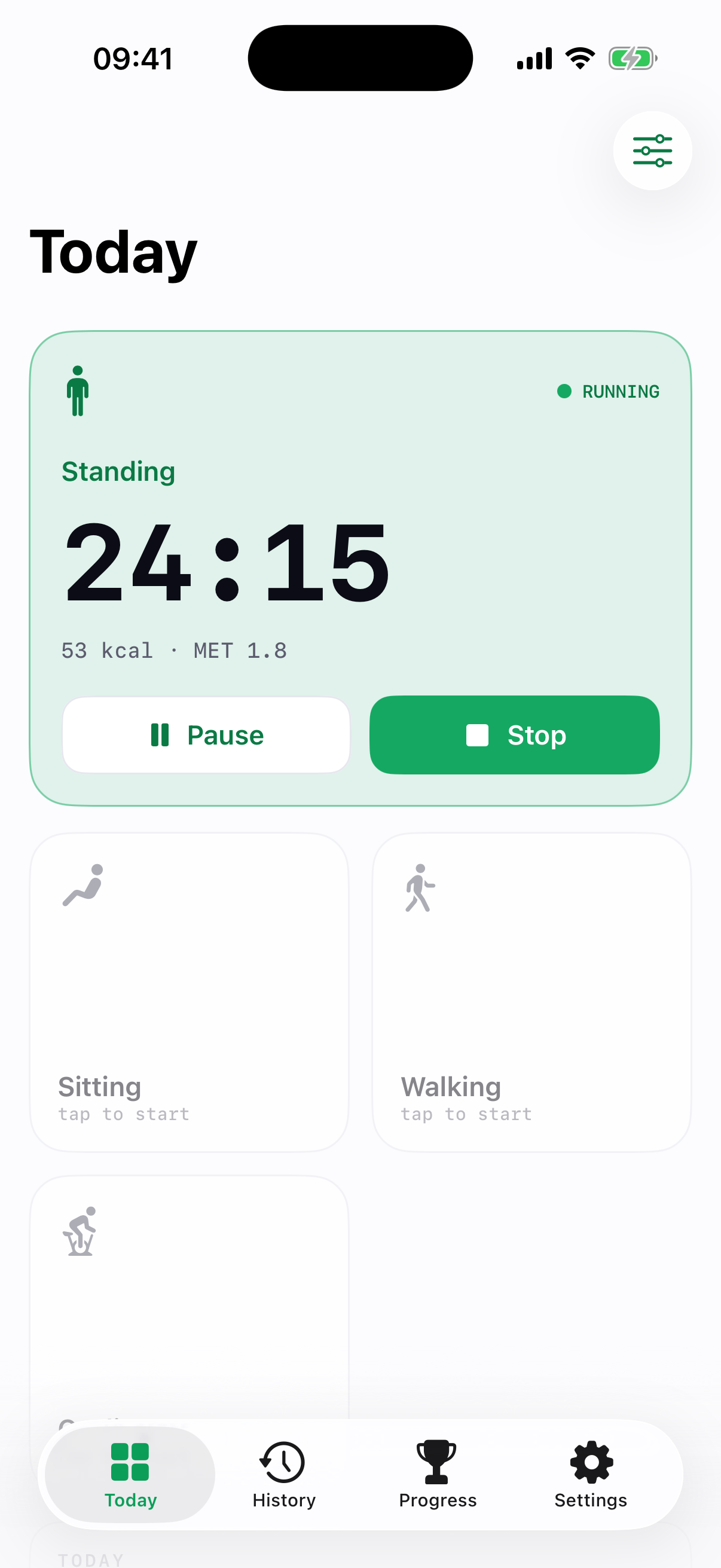
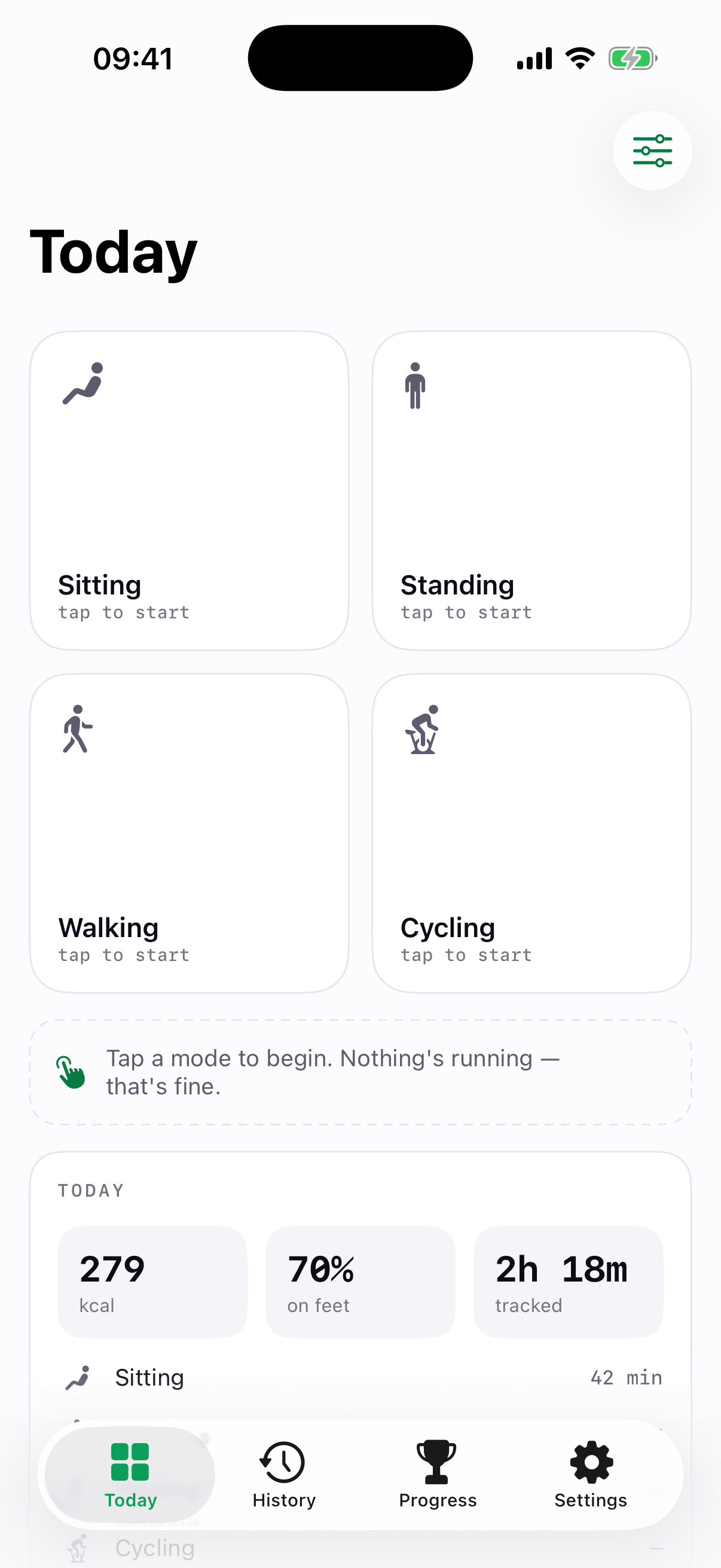
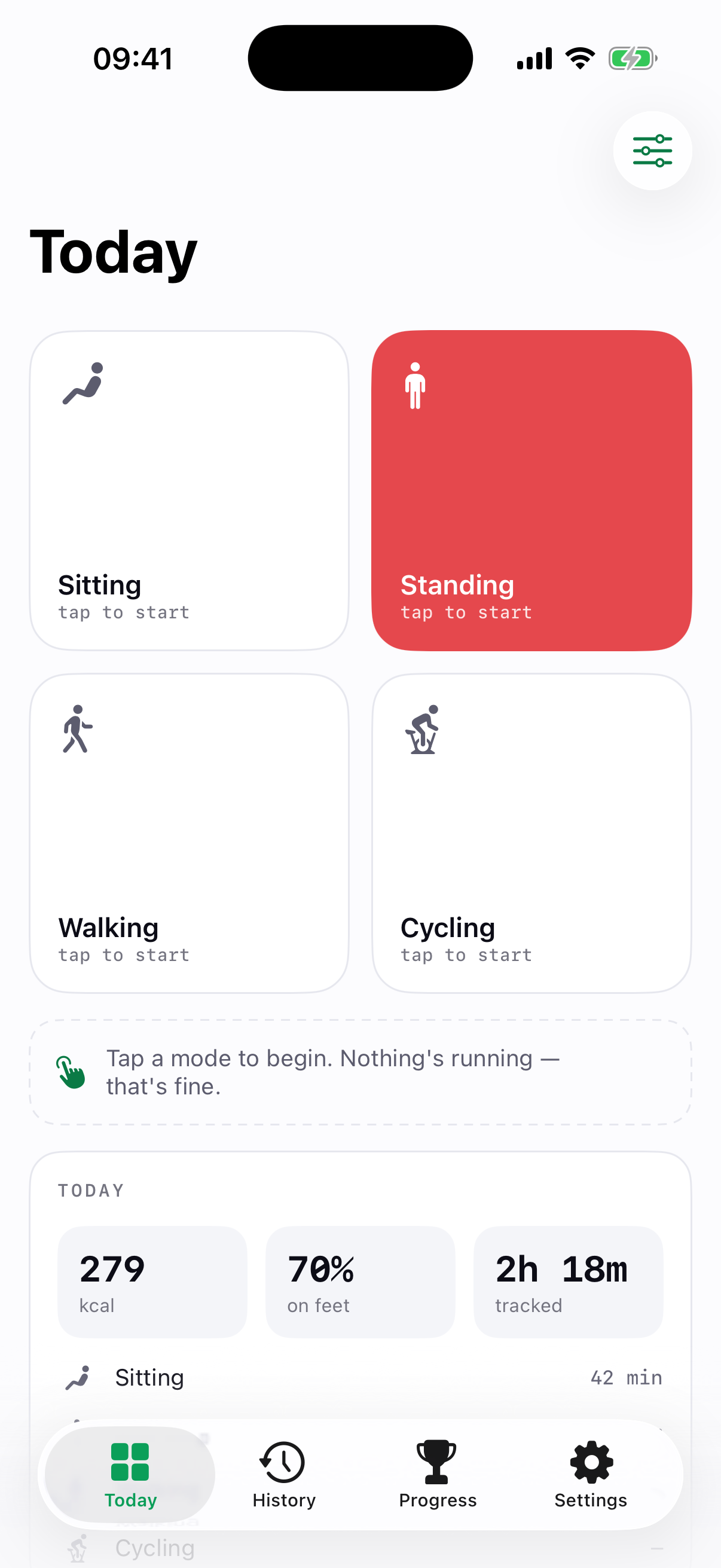
Tap a tile to start, tap another to flip sit ↔ stand. A quick-switch strip keeps every mode a thumb away while the timer runs, and it turns landscape for a big, glanceable clock.
Comfort coaching as you go
While a timer runs, a short, activity-specific comfort tip sits below the mode switches - calf raises and hip-flexor openers on a long stand, ankle circles while you cycle. Around 70 tips, each cited to a real source (Cornell Ergonomics, OSHA, NIOSH, ACSM, NASM, AHA, Waters & Dick), rotating to a fresh, complementary one every ~10 minutes. Guidance, not medical advice.
Honest net calories
Counts only the extra burn above resting, so it never double-counts your BMR. Validated MET values (Ainsworth 2011), cited in-app, with an honest ±20-30% disclaimer - and you can leave sitting out entirely.
Extra above just sitting
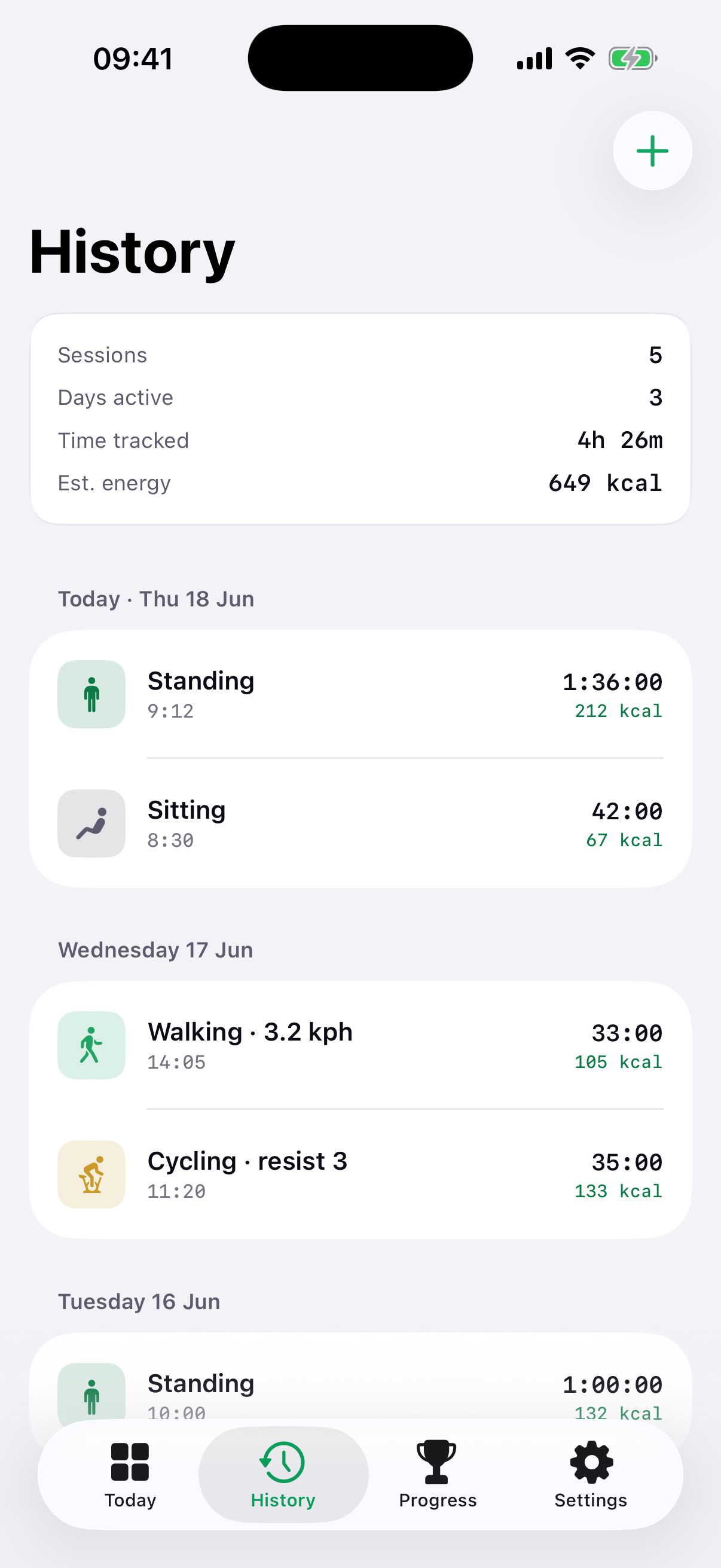
A headline that shows the calories you earned above a plain sitting day - sitting is the baseline, so it counts as zero. The "net" idea is right there on the dashboard, not buried in the math.
Apple Health
Writes each session as a workout and reads your weight for the math. Charts your body-weight trend on the dashboard, with a gentle weekly weigh-in check-in you can log from Apple Health or by hand.
Apple Watch
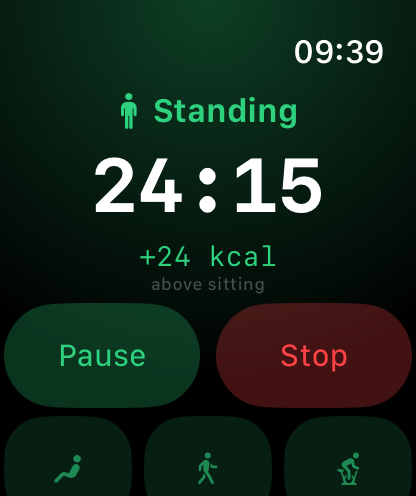
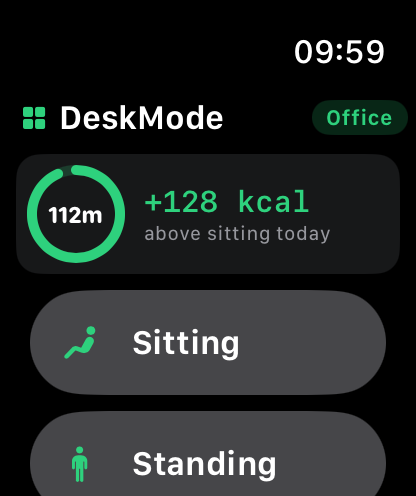
Start, flip, pause and stop from your wrist as one shared timer with your iPhone - with the same honest net calories above sitting, an in-session comfort tip, a today summary (on-feet ring and net kcal), and a mode picker that respects your weekly schedule.
Lock Screen, Island & widgets
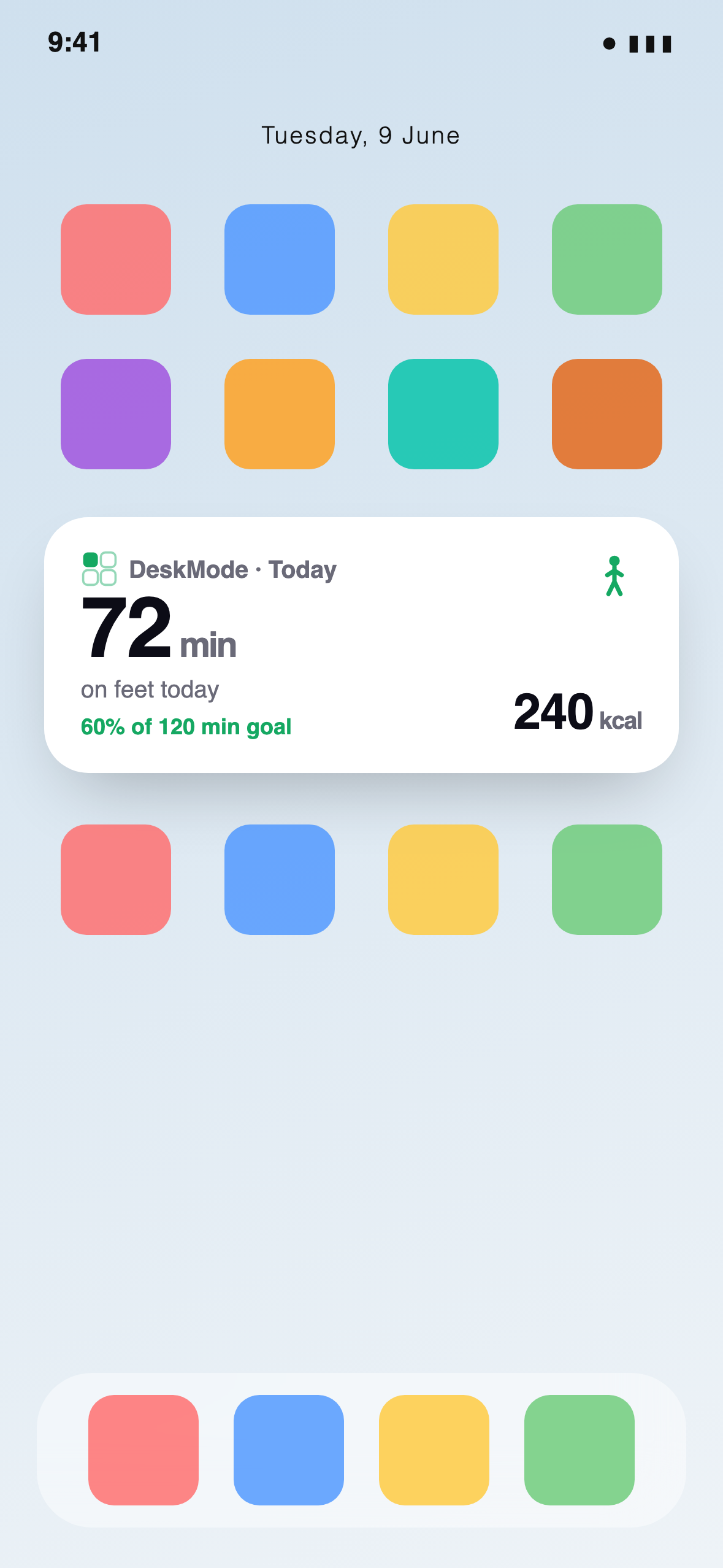
The running timer and live kcal on the Dynamic Island and Lock Screen, plus a Home Screen widget for today's totals.
Progress, your way
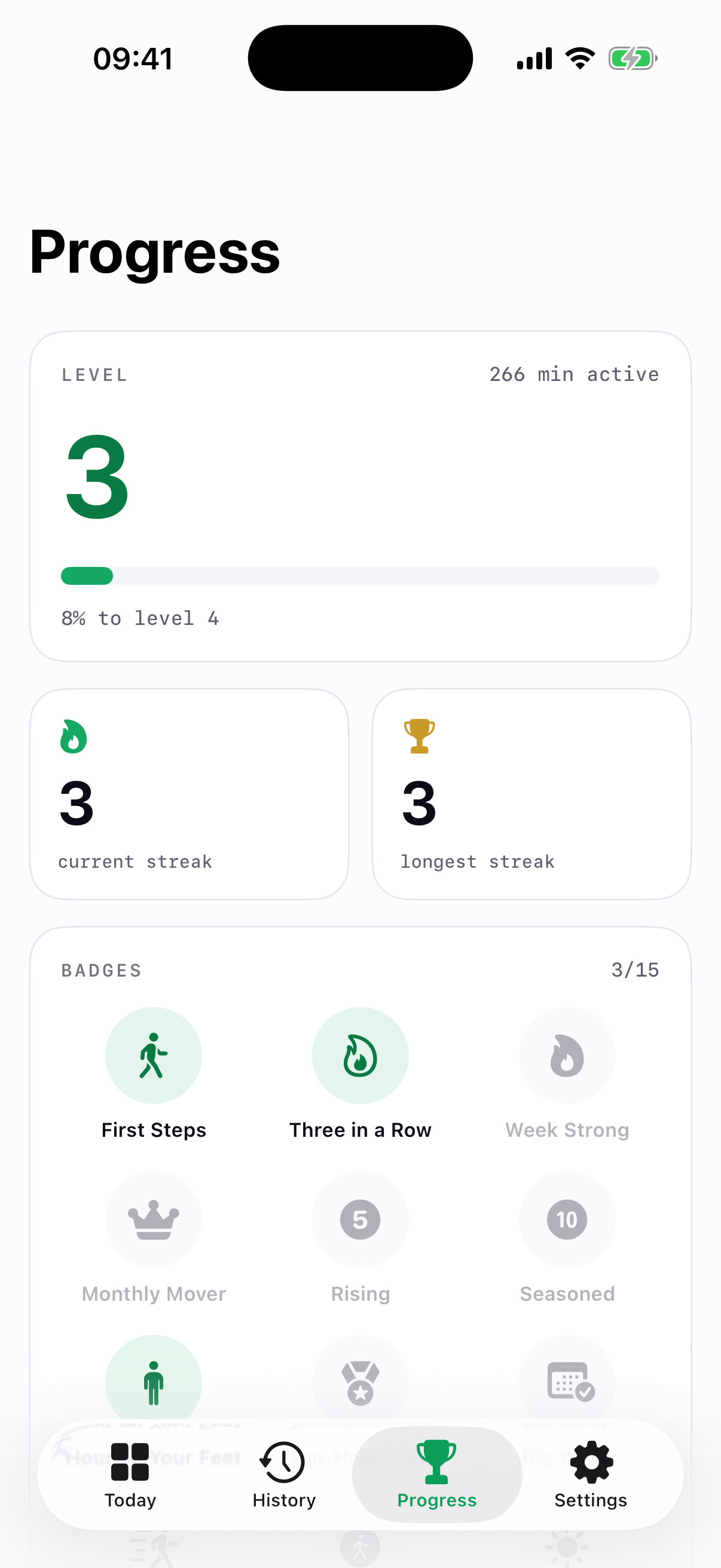
On-device levels, a no-shame streak (a quiet day stays neutral, never a red mark), around 40 collectible badges across categories with an All Badges page (tap one to see how it's earned) and a GitHub-style activity heatmap - Monday-first, every weekday. Positive only.
Today at a glance
An on-feet target ring (green when met, amber below, never red), animated count-up totals, a 7-day activity chart, and an evidence-backed tip of the day linking to studies and related gear.
Charts you can explore
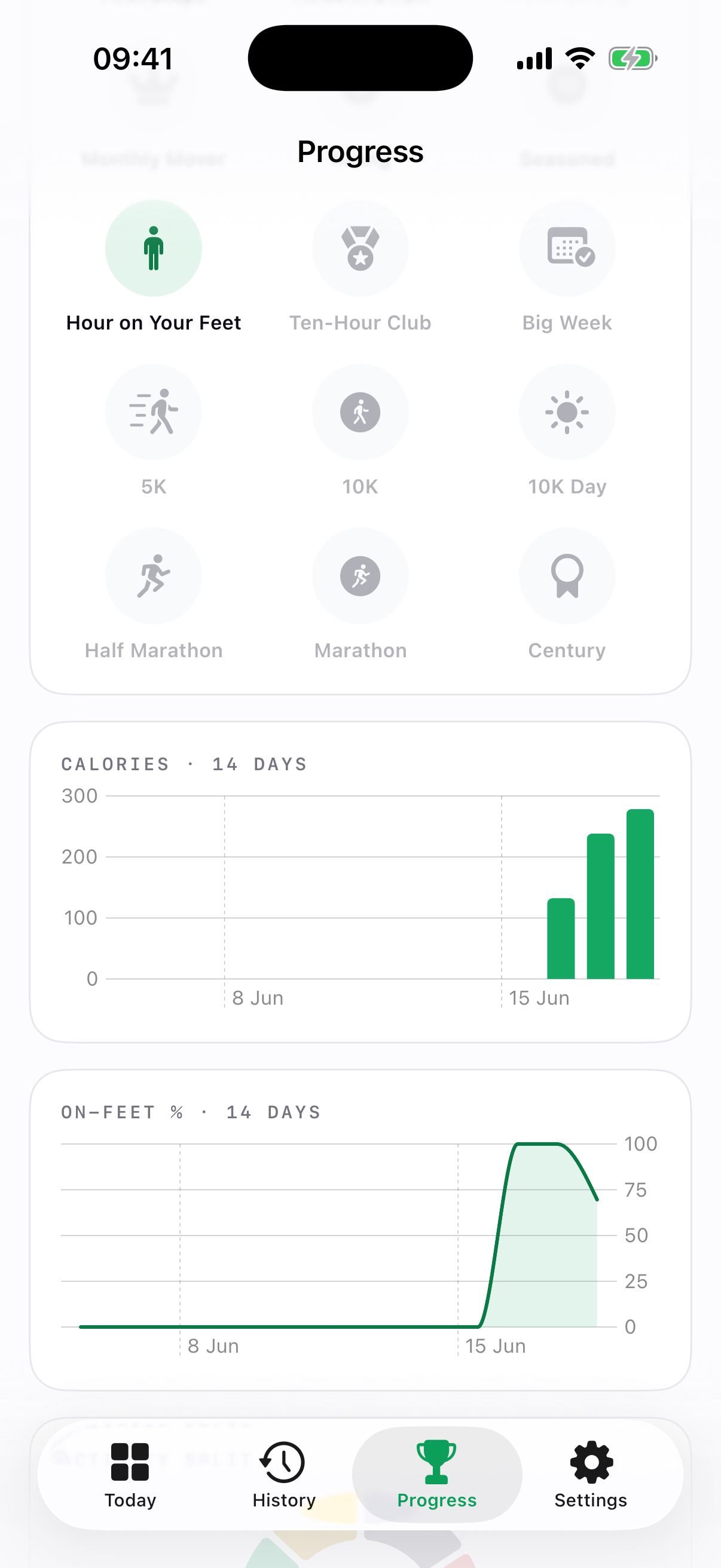
Every chart is interactive. Scrub the calories, on-feet and weight trends to read the exact value on any day with a marker, tap the activity-split ring to break down each mode, and tap any stat to see, in plain language, what it means and how it's worked out.
Make it yours
Long-press to remove, reorder or add tiles, and give any tile its own colour - bold or subtle.
Gentle reminders
Opt-in stand and sit nudges that offer to switch or snooze - they never auto-switch and never nag. Plus a quiet celebration when you pass your on-feet goal.
A week that fits
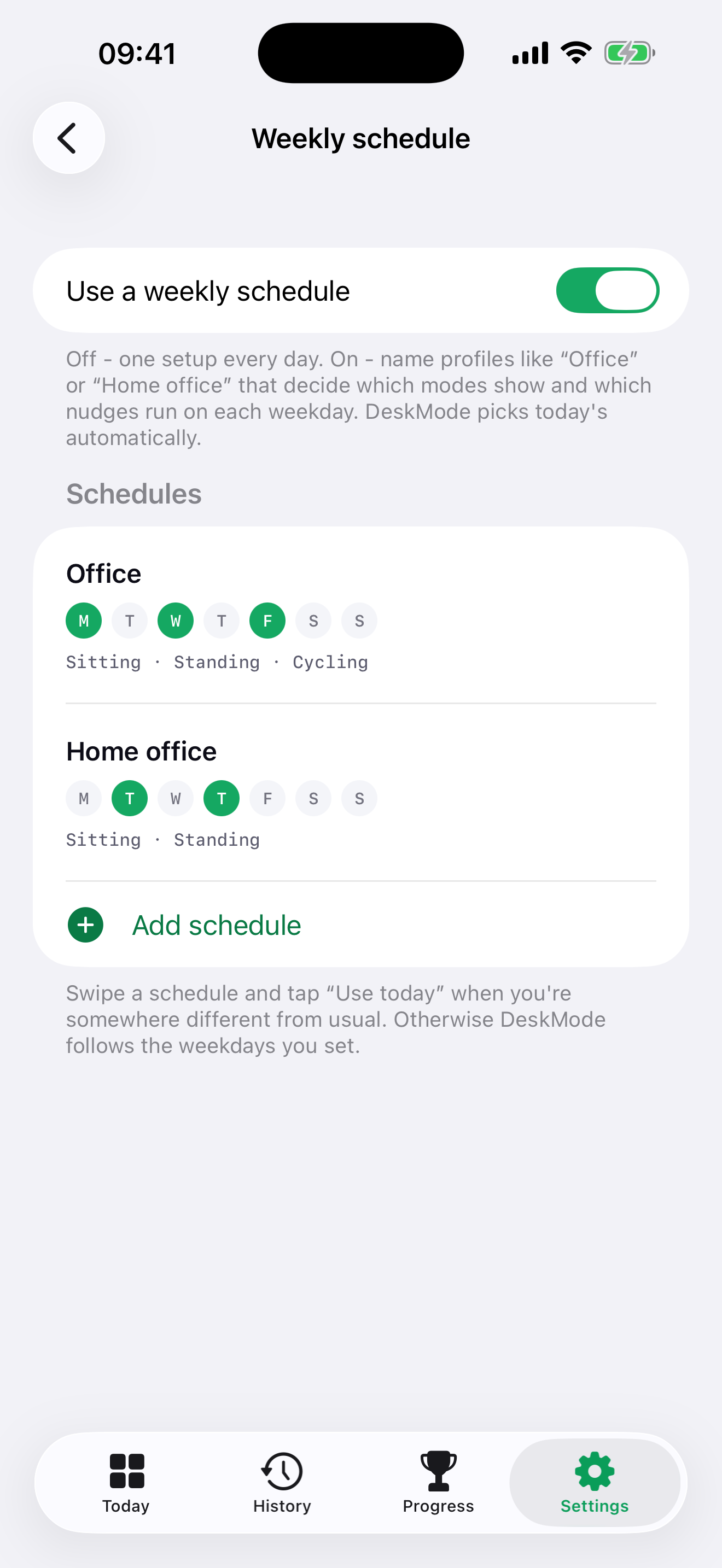
Build named profiles - an "Office" day with a desk bike Mon/Wed/Fri, a "Home office" day Tue/Thu - and give each a weekly schedule that scopes the tiles and reminders it shows. One tap to "Use today" whenever a day goes off-plan.
Private by default
Everything stays on your device. No tracking, no analytics, no servers. Export JSON anytime.
Another way to interact - on your wrist.
The Watch app is a fifth way into DeskMode, not a separate purchase. It's the same timer as your iPhone, so start, flip, pause or stop from wherever your hands are - no need to reach for your phone.
- One shared timer. Start, flip, pause and stop from your wrist - it's the same running session as your iPhone, kept in sync, not a second clock.
- The same honest net calories. "+24 kcal above sitting" reads exactly as it does on the phone - the extra burn above resting, never double-counted.
- A comfort tip while you go. In-session stretch and posture prompts follow you to the wrist, so a long stand still nudges a calf raise.
- Today at a glance. An on-feet ring with today's minutes and your net kcal above sitting, right on the watch home.
- A schedule-aware mode picker. The wrist shows only today's modes, scoped to your weekly profile - fewer taps, no clutter.
An honest net estimate - and yours to tune.
DeskMode counts the additional burn above resting - one MET is subtracted so it never double-counts the BMR your other apps already track. It uses validated MET values from the Compendium of Physical Activities (Ainsworth et al. 2011) and is upfront that real burn varies ±20-30% with your body and setup - a ballpark, not a measurement.
Set your weight (or sync it from Apple Health) and tune each mode's MET in Settings - sitting 1.3, standing 1.8, plus your walking speed and cycling resistance - so the numbers track your desk, not an average. Prefer to ignore sitting altogether? One toggle leaves it out.
kcal = kcal/hour × (seconds ÷ 3600)
net of resting · ± 20-30% variance · Compendium of Physical Activities
Your data stays on your device.
Your activity, history and health data stay on your device - no analytics, no trackers. Subscriptions are handled by Apple and RevenueCat, which only see anonymous purchase data, never your activity or health. Health data is shared with Apple Health only when you allow it.
Get the setup right.
DeskMode's in-app guide walks you through dialling in your chair, standing desk and desk bike - using published ergonomics guidelines, then pointing you to the gear that helps. Here's the short version.
Your chair
- Screen top at or just below eye level, about an arm's length away
- Recline to a 100-110° hip angle - not bolt-upright
- Elbows 90-120°, wrists flat and straight
- Feet flat on the floor, or a footrest
Standing desk
- Desk at standing-elbow height, elbows about 90°
- Screen between eye level and ~35° below
- Weight even, knees soft - shift footing often
- 10-30 min standing per hour, built up gradually
Desk bike
- Saddle height: a slight knee bend at the bottom of the stroke
- Sit tall - same screen, elbow & wrist rules
- Easy, steady spin around 60-70 RPM
- Adds ~110 net kcal/h (70 kg) above resting - tracked live
General guidance from published ergonomics sources (Cornell CUErgo, OSHA, CCOHS; Buckley 2015; Hawari 2022) - not medical advice. If you have pain or a health condition, check with a professional.
Gear that pairs well.
DeskMode works with whatever you already have. If you're kitting out a moving desk, here's the sort of equipment we like - grouped by where you are in the journey.
As an Amazon Associate, DeskMode earns from qualifying purchases - at no extra cost to you. Links open an Amazon search so picks stay current.
Not a stand reminder. Not a step counter.
Plenty of apps buzz you to stand up, or count your steps. DeskMode is built for the hours you spend at a moving desk - and it's honest about what that movement is worth.
| DeskMode | Stand-reminder apps | Step trackers | |
|---|---|---|---|
| What it tracks | Sit, stand, walk and cycle at the desk | A timer that tells you to stand | Steps and distance while you move |
| Calorie estimate | Net burn above resting, so nothing's double-counted (Ainsworth 2011, ±20-30%) | Usually none | Often gross calories, which can inflate the total |
| Under-desk cycling | A first-class mode with resistance and live kcal | Not covered | Not counted - a bike makes no steps |
| Design | Big-number, glanceable from across the room | Small notifications | Dense dashboards and rings |
| Tone | No-shame - a quiet day stays neutral, never red | Repeated nudges to act now | Goals, streaks and missed-day guilt |
| Your day, your way | Weekly profiles scope tiles and reminders per day | One fixed schedule | One daily goal |
| Privacy | Local-first, no analytics or servers | Varies | Often cloud accounts and tracking |
Comparisons describe typical apps in each category, not any one product. DeskMode complements a stand reminder or step tracker - it doesn't replace your rings.
One subscription. Everything unlocked.
DeskMode Pro is the whole app - every mode, chart, badge, widget, the Apple Watch app and weekly profiles. There's no limited free tier and nothing held back behind a second purchase. Start with a 3-day free trial and decide with the real thing.
Billed monthly after the free trial.
Works out at about £1.25 a month.
Save around 37% vs monthlyBoth plans are auto-renewing subscriptions billed through your Apple ID. Your trial converts to a paid plan only if you don't cancel at least 24 hours before it ends, and you can cancel anytime in Settings. Prices shown in GBP; your local price appears at checkout.
Terms of Use (EULA) · Privacy Policy
How DeskMode works.
The short version: on the Today screen, tap a tile to start a mode - sitting, standing, walking or cycling. Tap another tile to switch (that saves the first and starts the next). DeskMode times each session and estimates the honest calorie difference, then adds it to Apple Health.
What is DeskMode?
A desk-activity timer for people at a desk - especially those with a standing desk, an under-desk treadmill (walking pad) or a desk bike. It tracks time spent sitting, standing, walking and cycling and the calories that low-intensity movement burns. It is not a workout app, a step counter or a stand reminder.
How does it track a session?
Tap an activity tile to start its timer. Tap a different tile to switch modes - the previous session is saved automatically and the new one starts. Tap the running tile again to stop. The timer is wall-clock based, so it stays accurate in the background and even survives an app update.
How are the calories calculated? Why do they look low?
DeskMode shows net calories - the extra you burn above simply sitting - using validated MET values (Ainsworth et al. 2011, the Compendium of Physical Activities) times your body weight. Sitting is the baseline, so it adds zero; standing, walking and cycling add the difference. Estimates carry roughly ±20-30% variance, so they are an honest guide, not a precise figure. If they look off, set your weight in Settings (or connect Apple Health) so the maths uses your real weight.
Does it work with Apple Health and Apple Watch?
Yes. DeskMode can read your latest body weight from Apple Health and save each desk session as a workout, so your active desk time counts alongside the rest of your day. There is also an Apple Watch app - start, flip, pause and stop from your wrist, always in sync with your iPhone. Neither is required; the app works fully on its own.
Is my data private?
Yes - DeskMode is local-first. Your sessions live on your device; nothing is sent to a server, and there is no analytics or tracking. The App Store privacy label is "Data Not Collected". You can export a JSON backup any time, and HealthKit data is never shared.
What does it cost?
A 3-day free trial, then £1.99/month or £14.99/year (about £1.25/month). One subscription unlocks the whole app - every mode, chart, badge, the Home Screen widget, the Apple Watch app and weekly schedule profiles. There is no limited free tier and nothing held back behind a second purchase. Cancel anytime.
Which devices does it need?
iPhone on iOS 17 or later, and Apple Watch on watchOS 10 or later for the wrist app.